
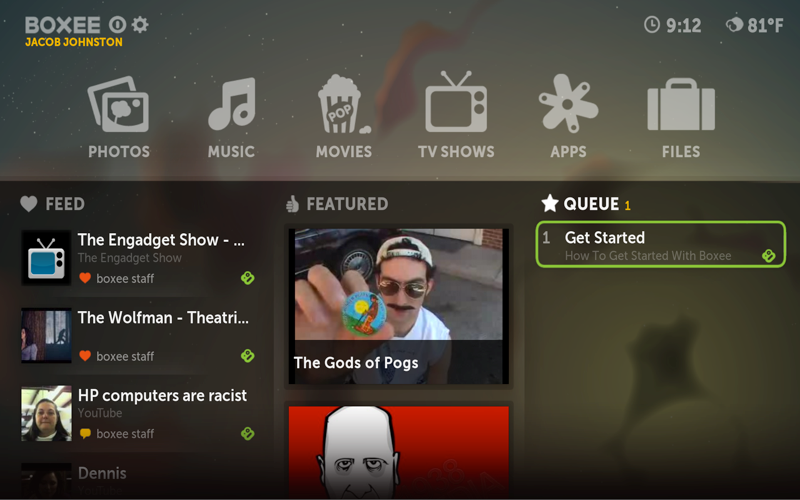
Boxee
Updated 10/23/2010: Based on some comments, I’ve released a new version with an installer and file for defining custom parameters. Big thanks to Joshka for showing me a neat registry trick that allowed me to create the installer. I’ve also moved the source to a subversion repository. Enjoy!
I was recently notified that Boxee might benefit from the same hack I used to get XBMC working with my Windows Media Center remote (see the post before this one). The problem was the same. While you can use a Windows Media Center remote and IR receiver (or a universal remote emulating one) to control Boxee, the green button will continue to launch Windows Media Center. I was asked to modify the little launcher I had written for launching XBMC to launch Boxee instead. About 10 seconds of coding (and another 5 minutes of testing) later, I had what appears to be a working solution.
Download BoxeeLauncher Installer
Download BoxeeLauncher Manual Install
Source code, project files, and install scripts can be found at https://www.inchoatethoughts.com/boxeelauncher/ (subversion repository)
I just tried this out on my htpc and it works great. Thanks for such a quick solution!
Thanks so much. I have been looking for this for a while. Works excellent on Win 7 32 bit with HP MCE remote.
Per my post at https://www.inchoatethoughts.com/launching-xbmc-with-a-windows-media-center-remote/comment-page-1#comment-1524 there is 1 step way of replacing ehshell.exe.
As an admin run:
reg add “HKLM\SOFTWARE\Microsoft\Windows NT\CurrentVersion\Image File Execution Options\ehshell.exe” /v “Debugger” /t REG_SZ /d “\”C:\tools\BoxeeLauncher\BoxeeLauncher.exe\”” /f
Awesome.. I have been trying to figure this out for awhile!
This works great!!
Oh, I am using the Gyration Music Remote and Windows 7.
SAve my life 🙂
Works fine with boxee over windows 7 and asus vision 3D HTPC.
Thanksssssssssssss
Installer doesn’t work on Vista X64 (didn’t try it on other systems). Manual installation works fine.
Fantastic! Just what I desperately needed. Manual install worked for me on Win7 x64. Many thanks!
This has been working great on W7, thanks for the efforts! Unfortunately it won’t work in W8.. any chance you will update the tool?
Need one but for Plex home theater